Skip to content
Among Us artwork

Among Us

7.3 / 10
Among Us cover art
Release Date
15 June 2018
Platforms
Xbox Series X|S • PS4 • Android • PC • iOS • PS5 • Xbox One • Nintendo Switch
Publisher
Innersloth
Developer
Innersloth
Store Pages
PC store logoXbox store logoPlayStation store logoNintendo store logoSteam store logoEpic Games store logo

01Overview

Among Us is a multiplayer social deduction game for 4 to 15 players, played online or through local Wi-Fi. Crewmates work together to complete tasks around the map while trying to identify one or more Impostors hiding among them. Impostors instead sabotage important systems, move through vents, deceive the group, and eliminate Crewmates without being discovered. When a body is reported or an Emergency Meeting is called, surviving players discuss what happened and vote on who they believe should be ejected. Crewmates win by completing all tasks or removing every Impostor, while Impostors win by reducing the Crew until they can no longer be stopped. Optional roles add extra abilities to the standard Crew and Impostor rules. Engineers can use vents, Scientists can monitor player vitals, Trackers can follow another player’s location, and Shapeshifters can disguise themselves as other Crewmates. Matches take place across several maps with different layouts, tasks, security systems, and sabotage opportunities. Host settings can adjust factors including player speed, role frequency, task counts, voting rules, and the number of Impostors.
Game Details

Genre
Strategy • Indie
Game Mode
Single player • Multiplayer • Co-operative
Perspective
Bird view / Isometric
Themes
Action • Survival • Stealth • Party
Price
Paid
Cost
$2.99Steam price, US
Marketplace
In-game purchases
Recommended Age
7+
Age Rating
ESRB E10+Mild Blood, Fantasy ViolencePEGI 7Violence

02Among Us guide

03Trailers & Gameplay Videos

11 Official Videos

04Screenshots & Artwork

05Popular questions

How many roles are there in Among Us?

There are 13 roles: Crewmate and Impostor, plus eleven special roles. Eight special roles are Crewmate side, including the ghost roles Guardian Angel and Influencer, and three are Impostor side: Shapeshifter, Phantom and Viper. All roles →

How many Impostors can there be?

The host picks 1, 2 or 3 Impostors for a lobby of 4 to 15 players. Impostors see each other in red but not each other's special roles. Classic settings →

Which Among Us map is the biggest?

The Airship is the largest map and MIRA HQ is the smallest. The Fungle is second largest, then Polus and The Skeld. All maps →

How long do Crewmates have to fix a critical sabotage?

It depends on the map: 30 seconds on The Skeld, 45 on MIRA HQ, 60 on Polus and The Fungle, and 90 on The Airship. A reported body also stops a critical sabotage. Timers by map →

How many tasks does each player get?

By default one common, one long and two short tasks. The host can raise this to two common, three long and five short. A common task goes to every player. How tasks work →

What is Hide n Seek in Among Us?

It is a game type added on Dec 9, 2022. One Seeker hunts the Crewmates, who hide, vent a few times and do tasks to shorten the timer. When time runs out, a Final Hide phase speeds the Seeker up. Hide n Seek rules →

What do the newest roles do?

The Judge can overrule a vote once per match and eject any player, but is ejected instead if they pick a Crewmate. The Influencer is a ghost role that sends picture hints to living players. The Judge →

Related Games

Other titles in the franchise and connected series

View All Games

Among Us © Innersloth LLC. Not affiliated with or endorsed by Innersloth. Pictures are official Innersloth artwork and screenshots.

Among Us Roles

Every role in Among Us: the two base roles plus eleven special ones, eight for Crewmates (two of them ghost roles) and three for Impostors. Each row gives the team, what the ability does, its default settings and what counters it; the role guides below say how to play it and how to beat it. Special roles only appear when the host switches them on in the lobby settings.
  • 13

    roles listed

  • 11

    special roles

  • Sep 2026

    newest role: Influencer

Team
Kind

01Role table 13 shown

Defaults are the lobby settings a host starts from; every one can be changed. Each special role also has a probability and a maximum number per game.

Crewmate

In the game from the start (2018)

What it does

No special power. Complete tasks, report bodies, call emergency meetings, vote and fix sabotages.

Default settings

Vision: 1x by default. Speed: 1x by default.

How to counter it

Impostors beat Crewmates by catching them alone and by faking tasks. Move in pairs and watch the task bar.

See also

Team
Crewmate

Engineer

Added Nov 2021 (version 2021.11.9)

What it does

Can enter vents to travel or hide. While inside a vent you cannot be killed.

Default settings

Vent cooldown: 30 s default (5 to 60 s) Max time in a vent: 15 s default (5 to 60 s, or unlimited)

How to counter it

Venting in view gives you away. Watch for vent arrows and the Clean Vent task, which blocks a vent while someone cleans it.
Team
Crewmate

Scientist

Added Nov 2021 (version 2021.11.9)

What it does

Opens a portable Vitals screen from anywhere on any map, using a battery.

Default settings

Battery: 5 s default (5 to 30 s) Recharge wait: 15 s default (5 to 60 s)

How to counter it

The battery is short, so the Scientist sees who is dead but not who killed. Kill away from the moment of a check.
Team
Crewmate

Guardian Angel

Added Nov 2021 (version 2021.11.9)

What it does

A ghost role: casts a shield on a living player that blocks an Impostor kill.

Default settings

Cooldown: 60 s default (35 to 120 s) Shield lasts: 10 s default (5 to 30 s) Visible to Impostors: Off by default.

How to counter it

A blocked kill is announced in the next meeting. Wait out the shield, or watch for the glow if the host made it visible.
Team
Crewmate, Ghost role

Noisemaker

Added Jun 2024 (version 2024.6.18)

What it does

Sends an alarm to everyone, with the body location, when an Impostor kills them.

Default settings

Alarm length: 10 s default (1 to 15 s) Impostors see it: On by default.

How to counter it

Do not kill a lone player in a corner of the map without an escape. The alarm points straight at you.
Team
Crewmate

Tracker

Added Jun 2024 (version 2024.6.18)

What it does

Tags a nearby player and follows them on the personal map for a while.

Default settings

Cooldown: 15 s default (10 to 120 s) Update delay: 1 s default (0 to 3 s) Track length: 30 s default (10 to 120 s)

How to counter it

A player tagged before they shift keeps showing in their own colour. Do not vent or kill with a follower in tow.
Team
Crewmate

Detective

Added Sep 2025 (version 17.0.0)

What it does

After a body is reported, uses Notes and Interrogate to learn where players were at the time of the kill.

Default settings

Suspects per case: 3 by default (2 to 4) Interrogate range: Touching distance, fixed.

How to counter it

Shapeshifters show as their disguise in the files until a meeting is called, then switch to their real identity. Be ready with a place and a time.
Team
Crewmate

Judge

Added Aug 2026 (version 18.0.0)

What it does

Once per match, picks a player in a meeting and ejects them whatever the vote was.

Default settings

Unlocks after: 50% of tasks by default (0, 25, 50, 75 or 100%) Uses: One per match.

How to counter it

The Judge dies in the Impostor's place if they overrule a Crewmate. Push a false claim at the Judge only if you can survive the question afterwards.
Team
Crewmate

Influencer

Added Sep 2026 (version 19.0.0)

What it does

A ghost role: sends up to three picture hints to living players.

Default settings

Message cooldown: 40 s default (10 to 60 s) Picture refresh: Half the message cooldown.

How to counter it

Hints arrive as pictures that can mislead. Check them against the facts in the meeting rather than trusting the picture alone.
Team
Crewmate, Ghost role

Impostor

In the game from the start (2018)

What it does

Can kill, sabotage and use vents. Has a fake task list and sees the other Impostors in red.

Default settings

Kill cooldown: 45 s default (10 to 60 s) Kill range: Medium default (short, medium, long) Vision: 1.5x default.

How to counter it

An Impostor wins when half of the living players are Impostors or a critical sabotage counts down to zero. Never be alone with them, and answer sabotages in pairs.
Team
Impostor

Shapeshifter

Added Nov 2021 (version 2021.11.9)

What it does

Turns into any player who was alive at the start of the round, then back again.

Default settings

Duration: 30 s default (5 to 30 s, or unlimited) Cooldown: 10 s default (5 to 90 s) Evidence left: Off by default.

How to counter it

A player a Tracker tagged before the shift keeps showing in their own colour. If evidence is on, shrivelled tentacles mark where a shift happened.
Team
Impostor

Phantom

Added Jun 2024 (version 2024.6.18)

What it does

Turns invisible to the Crew for a time. Cannot kill while invisible.

Default settings

Vanish length: 30 s default (10 to 90 s) Cooldown: 15 s default (5 to 60 s)

How to counter it

Smoke marks where a Phantom vanishes or appears. Impostors and ghosts can see them, living Crewmates cannot.

See also

Team
Impostor

Viper

Added Sep 2025 (version 17.0.0)

What it does

Kills with Acid, which dissolves the body so it disappears and cannot be reported.

Default settings

Dissolve time: 15 s default (5 to 60 s)

How to counter it

A Viper kill leaves a body only for the dissolve time. Look for a missing player, a Noisemaker alarm, or a task bar that stops moving.
Team
Impostor

02Role guides

A short guide for each role: how to play it, how to counter it, and its settings.

03Crewmate

How to play it: The Crew wins when every task is done (ghosts count too) or when every Impostor is gone. Do your tasks where other people are, remember who you saw in which room, and use the task bar as a clue: with updates set to Always it only moves when somebody really finishes a task. A visual task shows its animation to nearby players, so do those in front of others when you want to be believed.

How to counter it: An Impostor wants you alone and unobserved. Staying within sight of a second player, keeping a short log of who was where, and speaking up quickly in meetings takes away most of what an Impostor can use.

Team
Crewmate
Added
In the game from the start (2018)
Vision
1x by default
Speed
1x by default

04Engineer

How to play it: Use your vent to cut across the map for tasks that sit far apart, and to dodge an Impostor who is closing in: you cannot be killed while inside. Remember the time limit and the cooldown, and that you cannot vent during a Comms sabotage or into a vent that someone is cleaning. Venting where players can see you looks exactly like an Impostor, so announce the role early if you were seen.

How to counter it: A vent that opens in front of you is not proof, because an Engineer can do it too. Ask for the role claim, check who else could be an Engineer, and look at the vent time: Engineers must leave after their limit, Impostors do not.

Team
Crewmate
Added
Added Nov 2021 (version 2021.11.9)
Vent cooldown
30 s default (5 to 60 s)
Max time in a vent
15 s default (5 to 60 s, or unlimited)

05Scientist

How to play it: Vitals shows who is alive or dead, which is a fast way to spot a death before the body is found. It works even on The Skeld and MIRA HQ, which have no Vitals monitor. The battery recharges as you finish tasks, so spend it in short checks. It does not work during a Comms sabotage, and a Scientist keeps the screen as a ghost unless they become a Guardian Angel.

How to counter it: A Scientist can tell a death happened, but not who did it. If you must kill, do it away from where you would be watching and have a story about where you were when the check showed a death.

Team
Crewmate
Added
Added Nov 2021 (version 2021.11.9)
Battery
5 s default (5 to 30 s)
Recharge wait
15 s default (5 to 60 s)

06Guardian Angel

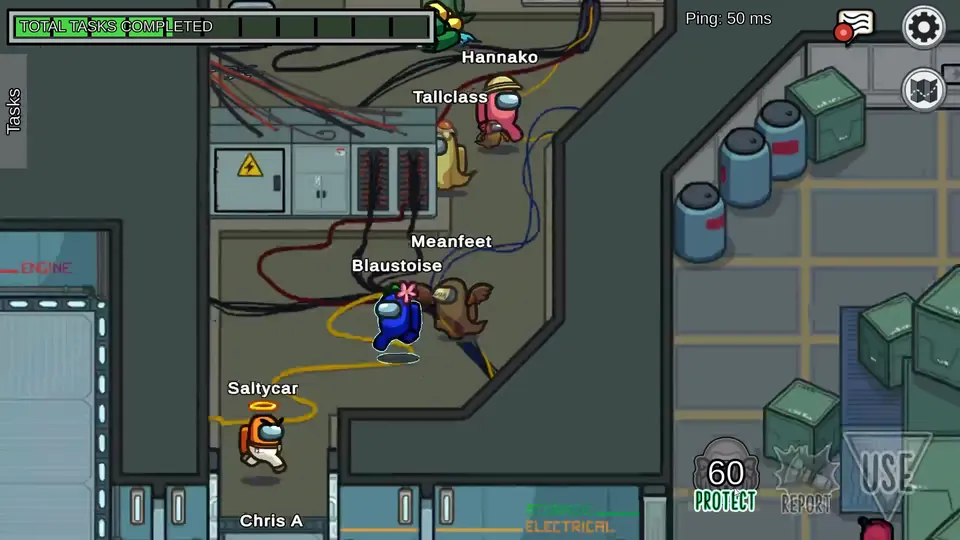
An official Innersloth screenshot with the Guardian Angel protect button.
Screenshot: Innersloth.

How to play it: You become a Guardian Angel after dying or being ejected, depending on the host settings. Protect the player an Impostor is most likely to chase, or the one who is about to be alone. A blocked kill is reported in the next meeting, which gives the protected player a real clue. You cannot Haunt, so you learn who the Impostor is only from what people say.

How to counter it: When a kill hits a shield, the next meeting tells everyone that an Impostor tried. As an Impostor, step away and wait out the 5 to 30 second shield instead of trying again; as a Crewmate, use that notice to push for a vote.

Team
Crewmate (ghost role)
Added
Added Nov 2021 (version 2021.11.9)
Cooldown
60 s default (35 to 120 s)
Shield lasts
10 s default (5 to 30 s)
Visible to Impostors
Off by default

07Noisemaker

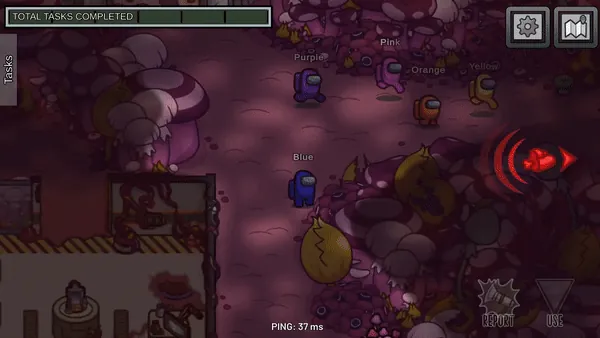
A frame from the official Innersloth roles trailer showing a Noisemaker alert.
Frame from the 2024 roles update devlog. Art: Innersloth.

How to play it: You have no button to press: your power is the alarm that goes off when you die. Play like a normal Crewmate but stay near busy areas where players can reach the body quickly, because the alarm marks where you died. The alarm does not sound during a Comms sabotage.

How to counter it: You cannot know who has the role, so assume anyone could. The alarm shows to Crewmates and ghosts, and to Impostors by default, so after a kill leave the area at once: the whole lobby is told where it happened.

Team
Crewmate
Added
Added Jun 2024 (version 2024.6.18)
Alarm length
10 s default (1 to 15 s)
Impostors see it
On by default

08Tracker

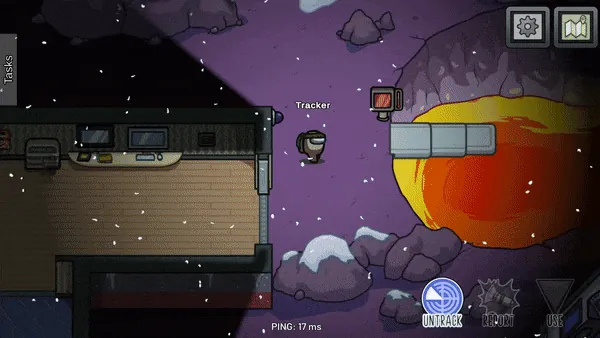
A frame from the official Innersloth roles trailer showing the Tracker.
Frame from the 2024 roles update devlog. Art: Innersloth.

How to play it: Tag the players you are most unsure about while you walk past, then watch where they go on the personal map. The map also shows venting, so a tracked player who vanishes into a vent is a strong lead. It stops working during a Comms sabotage, and a tag you already placed is removed.

How to counter it: You cannot see who carries a tag. Treat any player who follows you around as a possible Tracker, do not vent or kill with a stranger in tow, and use sabotages to break up long follows.

Team
Crewmate
Added
Added Jun 2024 (version 2024.6.18)
Cooldown
15 s default (10 to 120 s)
Update delay
1 s default (0 to 3 s)
Track length
30 s default (10 to 120 s)

09Detective

How to play it: Notes are only available once a body has been reported, so walk close to people before a meeting and interrogate those you can reach: you have to be in contact range. Each case file holds only a few suspects, so choose the ones whose answers matter. Since version 18.0.0 there is a short cooldown on Interrogate after a meeting ends. It does not work during a Comms sabotage.

How to counter it: Detective files record where a player stood at the time of a kill. Keep an alibi that is consistent with the room you were in, or kill when nobody has touched you recently.

Team
Crewmate
Added
Added Sep 2025 (version 17.0.0)
Suspects per case
3 by default (2 to 4)
Interrogate range
Touching distance, fixed

10Judge

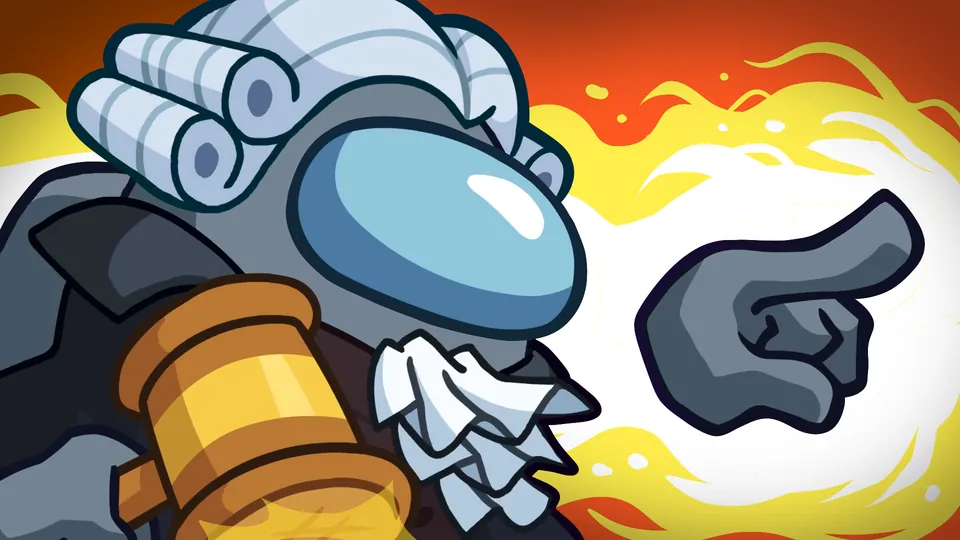
Official art of the Judge role from Innersloth.
The Judge, added in version 18.0.0. Art: Innersloth.

How to play it: Overrule ignores every other vote, so use it only when you are sure, because an overrule on a Crewmate ejects you instead. Finish enough tasks first, since the ability is locked until the chosen share of tasks is done. If two Judges overrule in the same meeting, the first one detected wins and the other gets the use back. It cannot be used in a meeting that follows a Comms sabotage.

How to counter it: Overrule is once per match and locked until enough tasks are done, so a Judge can only strike late. If you are an Impostor, avoid being the player a Judge is most sure about, keep a clean alibi, and remember that a wrong overrule costs the Judge their life.

Team
Crewmate
Added
Added Aug 2026 (version 18.0.0)
Unlocks after
50% of tasks by default (0, 25, 50, 75 or 100%)
Uses
One per match

11Influencer

Official art of the Influencer role from Innersloth.
The Influencer, added in version 19.0.0. Art: Innersloth.

How to play it: You become an Influencer when you die or are ejected, if the host allows it. You are shown a random set of pictures and send up to three; refreshing the set has a cooldown. Pick images that point at a room, a colour or an action rather than a vague mood, because the target sees them only for a few seconds.

How to counter it: An Influencer message is a hint from a dead player, not proof. Living Crewmates should compare it with the body location and who was seen where. As an Impostor, ask what the picture could mean in more than one way.

Team
Crewmate (ghost role)
Added
Added Sep 2026 (version 19.0.0)
Message cooldown
40 s default (10 to 60 s)
Picture refresh
Half the message cooldown

12Impostor

How to play it: Kill when nobody can see, fake tasks only where people watch you, and use sabotage to pull the Crew away from a body. The kill cooldown stops while you are in a vent. You never see the other Impostors' roles, only that they are Impostors. A lone Crewmate who does not move for a while is an easier target than a busy room.

How to counter it: Crewmates win when they know where each player was. Ask everyone for a short route, watch who ignores a task, and treat a player who always arrives just after a body is found as a lead.

Team
Impostor
Added
In the game from the start (2018)
Kill cooldown
45 s default (10 to 60 s)
Kill range
Medium default (short, medium, long)
Vision
1.5x default

13Shapeshifter

How to play it: Shift into someone who is elsewhere on the map to build an alibi, or into a player you want to frame just before a kill. In a meeting you always show as yourself. You cannot shift during The Fungle's Mushroom Mixup, and a shift copies the name, colour, hat and pet. Remember that only players alive at the round start can be copied.

How to counter it: Ask who was with whom, because a shift cannot be in two places at once. A body next to a player who "just arrived" is suspicious when another copy of them was seen elsewhere. Evidence on the floor is a hard clue.

Team
Impostor
Added
Added Nov 2021 (version 2021.11.9)
Duration
30 s default (5 to 30 s, or unlimited)
Cooldown
10 s default (5 to 90 s)
Evidence left
Off by default

14Phantom

A frame from the official Innersloth roles trailer showing the Phantom.
Frame from the 2024 roles update devlog. Art: Innersloth.

How to play it: Vanish to slip past a group, vent, or sabotage unseen, then appear next to a target. Sabotage and venting still work while you are invisible, but killing does not, so you have to reappear first. Your smoke shows in your colour at both ends. Vanish does not work during a Comms sabotage.

How to counter it: Watch for a puff of coloured smoke and a sudden empty room. A Tracker keeps seeing a vanished Phantom on the personal map, and ghosts can see them. A body that appears with nobody visible nearby is a clue.

Team
Impostor
Added
Added Jun 2024 (version 2024.6.18)
Vanish length
30 s default (10 to 90 s)
Cooldown
15 s default (5 to 60 s)

15Viper

How to play it: Kill in a place where the body will go away before anyone arrives, and use sabotages to keep the Crew busy while it dissolves. The body and the victim's pet both disappear when it is fully dissolved. Acid replaces the normal kill, so the Viper never kills the standard way.

How to counter it: If a player is missing and no body was reported, suspect a dissolve. Check vitals or the task bar, ask who last saw them, and count players when a meeting starts. A Noisemaker alarm, or the pet vanishing, are other clues.

Team
Impostor
Added
Added Sep 2025 (version 17.0.0)
Dissolve time
15 s default (5 to 60 s)

Among Us © Innersloth LLC. Not affiliated with or endorsed by Innersloth. Pictures are official Innersloth artwork and screenshots.

Among Us Maps

All five Among Us maps, with the rooms of each one, the tasks you can do in them, the vent connections and the security tools, plus every sabotage and its timer. The full task list is on the Tasks tab; each task here links to it.

  • 5

    maps

  • 84

    rooms listed

  • Oct 2023

    newest map: The Fungle

Map

01The five maps at a glance 89 shown

Map size is a relative ranking. The timer is how long Crewmates have to answer a critical sabotage before Impostors win; it differs on every map.

The Skeld

15 rooms listed
Released
2018
Size
Medium (second smallest)
Critical timer
30 s
Security tools
Admin, 4 cameras
Vent networks
6
Critical sabotage
Reactor Meltdown, Oxygen Depleted

MIRA HQ

14 rooms listed
Released
Aug 2019
Size
Small (smallest)
Critical timer
45 s
Security tools
Admin, Doorlog
Vent networks
1
Critical sabotage
Reactor Meltdown, Oxygen Depleted

Polus

16 rooms listed
Released
Nov 2019
Size
Medium (third smallest)
Critical timer
60 s
Security tools
Admin, 6 cameras, Vitals
Vent networks
4
Critical sabotage
Reset Seismic Stabilizers

The Airship

21 rooms listed
Released
Mar 2021
Size
Large (biggest)
Critical timer
90 s
Security tools
2 Admin tables, 7 cameras, Vitals
Vent networks
4
Critical sabotage
Avert Crash Course

The Fungle

18 rooms listed
Released
Oct 2023
Size
Large (second biggest)
Critical timer
60 s
Security tools
Binoculars, Vitals
Vent networks
3
Critical sabotage
Reactor Meltdown

02The Skeld

The first map, and the one a new game starts on. A single ship with the Cafeteria and its emergency button in the middle, long outer corridors and an engine at each end. It has a Security room with four hallway cameras and an Admin table, but no Vitals monitor.

Released
2018, the original map
Size
Medium; second smallest of the five
Spawn and meetings
Cafeteria (emergency button)
Admin
Table in the Admin room
Cameras
Security room, four hallway cameras
Vitals and Doorlog
Neither
Critical sabotages
Reactor Meltdown 30 s; Oxygen Depleted 30 s (keypads in O2 and Admin)
Other sabotages
Comms Sabotaged (radio dial in Communications); Fix Lights (Electrical); door sabotage closes doors for 10 s
Vent networks
Six, in groups of two or three rooms; the Reactor and Navigation have two vents each

Cafeteria

The Skeld

Vent

Yes, links Admin and Hallway

What else is here

Spawn point and emergency button. Door sabotage target with 3 doors; a hallway camera sits outside.

Hallway

The Skeld

Tasks in this room

Vent

Yes, links Admin and Cafeteria

What else is here

Long corridor joining Weapons, O2, Navigation and Shields.

Communications

The Skeld

Tasks in this room

Vent

No vent

What else is here

Comms Sabotaged is fixed here with the radio dial; satellites sit outside.

Security

The Skeld

Vent

Yes, links Electrical and MedBay

What else is here

Monitors for the four hallway cameras. Door sabotage target.

03MIRA HQ

A compact skyscraper headquarters. Every vent is part of one connected network, so an Impostor can surface almost anywhere in seconds. There is no Security room and no door sabotage; players read the Doorlog instead.

Released
Aug 8, 2019 (paid at first, free since June 2020)
Size
Small; the smallest map
Spawn and meetings
Launchpad spawn; emergency button in the Cafeteria
Admin
Table in the Admin room
Cameras and Vitals
None
Doorlog
Computer in Communications logs who passed the Hallway sensors
Critical sabotages
Reactor Meltdown 45 s; Oxygen Depleted 45 s (keypads in Greenhouse and the corridor south of Locker Room)
Other sabotages
Comms Sabotaged (keypads in Communications and Office; the code resets after 10 s); Fix Lights (Office); no door sabotage
Vent network
One network linking every room that has a vent

Communications

MIRA HQ

Tasks in this room

Vent

No vent

What else is here

Doorlog computer (top right) and one Comms keypad; the other is in Office.

Locker Room

MIRA HQ

Tasks in this room

Vent

Yes, links MedBay and Launchpad

What else is here

Lockers and benches; one door.

Decontamination

MIRA HQ

Tasks in this room

Vent

Yes, links Reactor and Laboratory

What else is here

Two vapour doors operated by buttons. They cannot be sabotaged.

Hallway

MIRA HQ

Tasks in this room

Vent

Yes, links Admin and Balcony

What else is here

Y-shaped corridor with Doorlog sensors at its entrances.

Office

MIRA HQ

Vent

Yes, links Greenhouse, Admin and Laboratory

What else is here

Fix Lights panel and the second Comms keypad.

Storage

MIRA HQ

Tasks in this room

Vent

No vent

What else is here

Boxes and chests; no vent and no sabotage.

Balcony

MIRA HQ

Vent

Yes, links Hallway and MedBay

What else is here

Weather computers and the satellite that aims the Skeld cannons; glass doors open automatically.

04Polus

A planet base made of indoor pods and snowy outdoor paths, with a lava pit where ejected players end up. It has Admin, six cameras and a Vitals monitor, and a critical sabotage that sends two players to opposite sides of the Dropship.

Released
Nov 12, 2019 (paid at first, free since June 2020)
Size
Medium; between The Skeld and The Fungle
Spawn and meetings
Dropship spawn; emergency button in the Office
Admin
Table with two panels in the Admin room
Cameras
Security room, six cameras
Vitals
Monitor in the Office
Critical sabotage
Reset Seismic Stabilizers 60 s (two scanners on opposite sides of the Dropship)
Other sabotages
Comms Sabotaged (dial at the outdoor satellite); Fix Lights (Electrical); doors close until players flip four switches
Vent networks
Four, three of them tying indoor rooms to outdoor vents

Dropship

Polus

Tasks in this room

Vent

No vent

What else is here

Spawn point. The two Seismic Stabilizer scanners are on opposite sides of it.

Outside

Polus

Vent

Yes, six outdoor vents (east and south of Electrical, west and south of Laboratory, outside Office, outside Communications)

What else is here

Lava pit for ejections, weather nodes, the Comms satellite dial and two Seismic Stabilizers.

Electrical

Polus

Tasks in this room

Vent

Yes, links O2 and the vent south of Electrical

What else is here

Fix Lights is triggered here; door sabotage target with 3 doors; a camera looks out over the north-west.

Security

Polus

Tasks in this room

No tasks here

Vent

No vent

What else is here

Monitor for the six cameras on the map.

Communications

Polus

Tasks in this room

Vent

Yes, an outdoor vent that links Office and Storage

What else is here

Comms Sabotaged is fixed at the satellite dial outside; door sabotage target.

Admin

Polus

Tasks in this room

No tasks here

Vent

Yes, links the vent outside Office, the vent south of Laboratory and Laboratory

What else is here

Admin table with two panels.

Lower Decontamination

Polus

Tasks in this room

No tasks here

Vent

No vent

What else is here

Vapour doors between Admin and Specimen Room. They cannot be sabotaged.

Upper Decontamination

Polus

Tasks in this room

No tasks here

Vent

No vent

What else is here

Vapour doors between Specimen Room and Laboratory.

Storage

Polus

Tasks in this room

Vent

Yes, links Office and the vent outside Communications

What else is here

Boxes and utilities; door sabotage target.

05The Airship

The biggest map: many rooms linked by ladders, a moving platform and a wide gap across the ship. After a meeting players pick from several start rooms. It has two Admin tables, seven cameras and Vitals, and no visual tasks.

Released
Mar 18, 2021, free
Size
Large; the biggest map
Spawn and meetings
Choose a start room after a meeting (Brig, Engine Room, Records, Main Hall, Kitchen or Cargo Bay); emergency button in the Meeting Room
Admin
Two tables, in Cockpit and Records
Cameras
Security room, seven cameras
Vitals
Monitor in Medical
Critical sabotage
Avert Crash Course 90 s, the longest timer (keypads either side of Gap Room; the code resets)
Other sabotages
Comms Sabotaged (dial in Communications); Fix Lights (panels in Gap Room, Viewing Deck and Cargo Bay); doors reopen with a swipe card
Vent networks
Four, three rooms each (Gap Room has two vents)

Brig

The Airship

Tasks in this room

Vent

No vent

What else is here

A start room after meetings; leads to Vault, Gap Room and Engine Room.

Security

The Airship

Tasks in this room

Vent

No vent

What else is here

Monitor for the seven cameras; a camera is also in the room.

Gap Room

The Airship

Vent

Yes, two (west and east) that link each other and Main Hall

What else is here

Crash Course keypads, a Fix Lights panel, two ladders on each side and the moving platform.

Engine Room

The Airship

Vent

Yes, links Kitchen and Main Hall

What else is here

A start room after meetings; one camera.

Records

The Airship

Vent

Yes, links Cargo Bay and Showers

What else is here

Second Admin table; two cameras; a start room after meetings.

Lounge

The Airship

Tasks in this room

Vent

No vent

What else is here

Pool tables, darts and a public bathroom; exit into Cargo Bay.

Ventilation

The Airship

Tasks in this room

Vent

No vent

What else is here

A wider gap than Gap Room with no moving platform.

Communications

The Airship

Tasks in this room

Vent

No vent

What else is here

Comms Sabotaged is fixed here with the radio dial.

Outside

The Airship

Tasks in this room

No tasks here

Vent

No vent

What else is here

Reached from Viewing Deck or Security.

Hall of Portraits

The Airship

Tasks in this room

No tasks here

Vent

No vent

What else is here

Short corridor between Kitchen and Security.

06The Fungle

Official Innersloth art of The Fungle, the island map.
The Fungle. Art: Innersloth.

A jungle island built around the wreck of The Skeld, with ziplines, ladders to the high cliffs, doors you open by hitting mushrooms and vents that are plants. Its Security is a pair of binoculars at the Lookout, and Comms Sabotaged does not affect it.

Released
Oct 24, 2023
Size
Large; second largest
Spawn and meetings
Beach campfire spawn; meetings are called with a conch shell in the Meeting Room
Admin
None
Cameras
Binoculars at the Lookout view the Beach and the Jungle
Vitals
Monitor in the Laboratory
Critical sabotage
Reactor Meltdown 60 s
Other sabotages
Comms Sabotaged (keypads in Communications and Lookout); Mushroom Mixup (Jungle, 10 s, scrambles colours and looks); doors open by hitting six mushrooms
Vent networks
Three (Beach with Splash Zone and Laboratory; Jungle with Kitchen; Reactor, Lookout and The Cliffs)

Beach

The Fungle

Vent

Yes, two: north links Splash Zone, south links Laboratory

What else is here

Spawn point around the central campfire.

Dropship

The Fungle

Tasks in this room

Vent

No vent

What else is here

The wrecked ship the crew arrived in.

Meeting Room

The Fungle

Tasks in this room

No tasks here

Vent

No vent

What else is here

Meetings are called with a conch shell, not a button.

The Dorm

The Fungle

Tasks in this room

Vent

No vent

What else is here

A video game monitor next to the Meeting Room.

Dock

The Fungle

Tasks in this room

Vent

No vent

What else is here

Fishing spot that extends from the Kitchen.

Reactor

The Fungle

Vent

Yes, links Lookout and The Cliffs

What else is here

Hand readers for Reactor Meltdown; one fungus door.

The Cliffs

The Fungle

Tasks in this room

Vent

Yes, links Reactor and Lookout

What else is here

The high ground, reached by ladders from the Jungle.

Mining Pit

The Fungle

Tasks in this room

Vent

No vent

What else is here

Rich in minerals; one fungus door.

Lookout

The Fungle

Tasks in this room

Vent

Yes, links Reactor and The Cliffs

What else is here

Binoculars (the Security view of Beach and Jungle) and a Comms keypad; one fungus door.

Among Us © Innersloth LLC. Not affiliated with or endorsed by Innersloth. Pictures are official Innersloth artwork and screenshots.

Among Us Tasks

Every task on all five Among Us maps: 73 different tasks, 114 task and map pairs, because a task can change type or rooms from map to map. Filter by map, by type or for visual tasks, and click a room to see it on the Maps tab.

  • 114

    tasks listed

  • 14

    common task rows

  • 8

    visual task rows

Map
Type
Visual

01How tasks work 114 shown

Every Crewmate gets a task list at the start of a round: by default one common, one long and two short tasks, and the host can raise those to two, three and five. A common task goes to everybody, so if one player has Swipe Card, all of them do. Impostors cannot do tasks but get a fake list that shows the common ones.

The task bar fills when a Crewmate finishes the last step of a task, and ghosts keep adding to it. A multi-step task such as Divert Power only moves the bar when its final step is done. The host can set the bar to update always, only after meetings, or never.

Visual tasks play a visible animation to players nearby, such as Submit Scan or Prime Shields on The Skeld, so seeing one done is strong evidence. The host can switch the animations off, and The Airship and The Fungle have none. A task's type depends on the map: Fuel Engines is long on The Skeld, Polus and The Airship but short on MIRA HQ.

Default per player
1 common, 1 long, 2 short
Host maximum
2 common, 3 long, 5 short
Task bar updates
Always (default), after meetings, or never

02The Skeld tasks

19 tasks: 2 common, 8 long and 9 short, 5 of them visual. Room names link to the Maps tab.

Swipe Card

Skeld, 1 step

Steps and rooms

Where: Admin
Type
Common

Clear Asteroids

Skeld, 1 step

Map

The Skeld

Steps and rooms

Where: Weapons
Type
Long, Visual

Empty Chute

Skeld, 2 steps

Map

The Skeld

Steps and rooms

Step 1: O2. Step 2: Storage.
Type
Long, Visual

Empty Garbage

Skeld, 2 steps

Map

The Skeld

Steps and rooms

Step 1: Cafeteria. Step 2: Storage.
Type
Long, Visual

Inspect Sample

Skeld, 1 step

Map

The Skeld

Steps and rooms

Where: MedBay
Type
Long

Start Reactor

Skeld, 1 step

Map

The Skeld

Steps and rooms

Where: Reactor
Type
Long

Submit Scan

Skeld, 1 step

Map

The Skeld

Steps and rooms

Where: MedBay
Type
Long, Visual

Calibrate Distributor

Skeld, 1 step

Map

The Skeld

Steps and rooms

Where: Electrical
Type
Short

Chart Course

Skeld, 1 step

Map

The Skeld

Steps and rooms

Where: Navigation
Type
Short

Clean O2 Filter

Skeld, 1 step

Map

The Skeld

Steps and rooms

Where: O2
Type
Short

Clean Vent

Skeld, 1 step

Map

The Skeld

Steps and rooms

Where: Any room with a vent
Type
Short

Prime Shields

Skeld, 1 step

Map

The Skeld

Steps and rooms

Where: Shields
Type
Short, Visual

Stabilize Steering

Skeld, 1 step

Map

The Skeld

Steps and rooms

Where: Navigation
Type
Short

Unlock Manifolds

Skeld, 1 step

Map

The Skeld

Steps and rooms

Where: Reactor
Type
Short

03MIRA HQ tasks

20 tasks: 2 common, 5 long and 13 short, 1 of them visual. Room names link to the Maps tab.

Enter Id Code

MIRA HQ, 1 step

Steps and rooms

Where: Admin
Type
Common
Map
MIRA HQ

Clear Asteroids

MIRA HQ, 1 step

Steps and rooms

Where: Balcony
Type
Long
Map
MIRA HQ

Start Reactor

MIRA HQ, 1 step

Steps and rooms

Where: Reactor
Type
Long
Map
MIRA HQ

Submit Scan

MIRA HQ, 1 step

Steps and rooms

Where: MedBay
Type
Long, Visual
Map
MIRA HQ

Water Plants

MIRA HQ, 2 steps

Steps and rooms

Step 1: Storage. Step 2: Greenhouse.
Type
Long
Map
MIRA HQ

Assemble Artifact

MIRA HQ, 1 step

Steps and rooms

Where: Laboratory
Type
Short
Map
MIRA HQ

Buy Beverage

MIRA HQ, 1 step

Steps and rooms

Where: Cafeteria
Type
Short
Map
MIRA HQ

Chart Course

MIRA HQ, 1 step

Steps and rooms

Where: Admin
Type
Short
Map
MIRA HQ

Clean O2 Filter

MIRA HQ, 1 step

Steps and rooms

Where: Greenhouse
Type
Short
Map
MIRA HQ

Clean Vent

MIRA HQ, 1 step

Steps and rooms

Where: Any room with a vent
Type
Short
Map
MIRA HQ

Empty Garbage

MIRA HQ, 1 step

Steps and rooms

Where: Cafeteria
Type
Short
Map
MIRA HQ

Fuel Engines

MIRA HQ, 1 step

Steps and rooms

Where: Launchpad
Type
Short
Map
MIRA HQ

Measure Weather

MIRA HQ, 1 step

Steps and rooms

Where: Balcony
Type
Short
Map
MIRA HQ

Prime Shields

MIRA HQ, 1 step

Steps and rooms

Where: Admin
Type
Short
Map
MIRA HQ

Process Data

MIRA HQ, 1 step

Steps and rooms

Where: Office
Type
Short
Map
MIRA HQ

Run Diagnostics

MIRA HQ, 1 step

Steps and rooms

Where: Launchpad
Type
Short
Map
MIRA HQ

Sort Samples

MIRA HQ, 1 step

Steps and rooms

Where: Laboratory
Type
Short
Map
MIRA HQ

Unlock Manifolds

MIRA HQ, 1 step

Steps and rooms

Where: Reactor
Type
Short
Map
MIRA HQ

04Polus tasks

24 tasks: 4 common, 8 long and 12 short, 2 of them visual. Room names link to the Maps tab.

Insert Keys

Polus, 1 step

Steps and rooms

Where: Dropship
Type
Common
Map
Polus

Scan Boarding Pass

Polus, 1 step

Steps and rooms

Where: Office
Type
Common
Map
Polus

Swipe Card

Polus, 1 step

Steps and rooms

Where: Office
Type
Common
Map
Polus

Fix Weather Node

Polus, 2 steps

Steps and rooms

Step 1: Outside (nodes TB, IRO, PD or GI). Step 2: Laboratory.
Type
Long
Map
Polus

Inspect Sample

Polus, 1 step

Steps and rooms

Where: MedBay
Type
Long
Map
Polus

Reboot Wifi

Polus, 1 step

Steps and rooms

Type
Long
Map
Polus

Replace Water Jug

Polus, 2 steps

Steps and rooms

Step 1: Boiler Room. Step 2: Office.
Type
Long
Map
Polus

Start Reactor

Polus, 1 step

Steps and rooms

Type
Long
Map
Polus

Align Telescope

Polus, 1 step

Steps and rooms

Where: Laboratory
Type
Short
Map
Polus

Chart Course

Polus, 1 step

Steps and rooms

Where: Dropship
Type
Short
Map
Polus

Clear Asteroids

Polus, 1 step

Steps and rooms

Where: Weapons
Type
Short, Visual
Map
Polus

Empty Garbage

Polus, 1 step

Steps and rooms

Where: O2
Type
Short
Map
Polus

Fill Canisters

Polus, 1 step

Steps and rooms

Where: O2
Type
Short
Map
Polus

Fix Weather Node

Polus, 2 steps

Steps and rooms

Step 1: Outside (nodes CA or MLG). Step 2: Laboratory.
Type
Short
Map
Polus

Monitor Tree

Polus, 1 step

Steps and rooms

Where: O2
Type
Short
Map
Polus

Record Temperature

Polus, 1 step

Steps and rooms

Type
Short
Map
Polus

Repair Drill

Polus, 1 step

Steps and rooms

Where: Laboratory
Type
Short
Map
Polus

Store Artifacts

Polus, 1 step

Steps and rooms

Type
Short
Map
Polus

Submit Scan

Polus, 1 step

Steps and rooms

Where: MedBay
Type
Short, Visual
Map
Polus

Unlock Manifolds

Polus, 1 step

Steps and rooms

Type
Short
Map
Polus

05The Airship tasks

25 tasks: 2 common, 8 long and 15 short, none of them visual. Room names link to the Maps tab.

Develop Photos

Airship, 1 step

Map

The Airship

Steps and rooms

Where: Main Hall
Type
Long

Fuel Engines

Airship, 2 steps

Map

The Airship

Steps and rooms

Step 1: Cargo Bay. Step 2: Engine Room (the bottom-right or upper-left engine).
Type
Long

Reset Breakers

Airship, 1 step

Map

The Airship

Steps and rooms

Where: Electrical
Type
Long

Rewind Tapes

Airship, 1 step

Map

The Airship

Steps and rooms

Where: Security
Type
Long

Start Fans

Airship, 1 step

Map

The Airship

Steps and rooms

Type
Long

Unlock Safe

Airship, 1 step

Map

The Airship

Steps and rooms

Where: Cargo Bay
Type
Long

Calibrate Distributor

Airship, 1 step

Map

The Airship

Steps and rooms

Where: Electrical
Type
Short

Clean Toilet

Airship, 1 step

Map

The Airship

Steps and rooms

Where: Lounge
Type
Short

Clean Vent

Airship, 1 step

Map

The Airship

Steps and rooms

Where: Any room with a vent
Type
Short

Decontaminate

Airship, 1 step

Map

The Airship

Steps and rooms

Where: Main Hall
Type
Short

Dress Mannequin

Airship, 1 step

Map

The Airship

Steps and rooms

Where: Vault
Type
Short

Fix Shower

Airship, 1 step

Map

The Airship

Steps and rooms

Where: Showers
Type
Short

Make Burger

Airship, 1 step

Map

The Airship

Steps and rooms

Where: Kitchen
Type
Short

Pick Up Towels

Airship, 1 step

Map

The Airship

Steps and rooms

Where: Showers
Type
Short

Polish Ruby

Airship, 1 step

Map

The Airship

Steps and rooms

Where: Vault
Type
Short

Put Away Pistols

Airship, 1 step

Map

The Airship

Steps and rooms

Where: Armory
Type
Short

Put Away Rifles

Airship, 1 step

Map

The Airship

Steps and rooms

Where: Armory
Type
Short

Sort Records

Airship, 1 step

Map

The Airship

Steps and rooms

Where: Records
Type
Short

Stabilize Steering

Airship, 1 step

Map

The Airship

Steps and rooms

Where: Cockpit
Type
Short

06The Fungle tasks

26 tasks: 4 common, 9 long and 13 short, none of them visual. Room names link to the Maps tab.

Roast Marshmallow

Fungle, 2 steps

Map

The Fungle

Steps and rooms

Step 1: Beach. Step 2: Beach.
Type
Common

Collect Vegetables

Fungle, 2 steps

Map

The Fungle

Steps and rooms

Step 1: Greenhouse. Step 2: Kitchen.
Type
Long

Cook Fish

Fungle, 2 steps

Map

The Fungle

Steps and rooms

Step 1: Dock. Step 2: Kitchen.
Type
Long

Extract Fuel

Fungle, 2 steps

Map

The Fungle

Steps and rooms

Step 1: Upper Engine. Step 2: Storage.
Type
Long

Help Critter

Fungle, 2 steps

Map

The Fungle

Steps and rooms

Step 1: Jungle. Step 2: Laboratory.
Type
Long

Hoist Supplies

Fungle, 2 steps

Map

The Fungle

Steps and rooms

Step 1: Jungle. Step 2: The Cliffs.
Type
Long

Mine Ores

Fungle, 1 step

Map

The Fungle

Steps and rooms

Where: Mining Pit
Type
Long

Polish Gem

Fungle, 1 step

Map

The Fungle

Steps and rooms

Where: Mining Pit
Type
Long

Replace Water Jug

Fungle, 2 steps

Map

The Fungle

Steps and rooms

Step 1: Storage. Step 2: Cafeteria.
Type
Long

Water Plants

Fungle, 2 steps

Map

The Fungle

Steps and rooms

Step 1: Storage. Step 2: Greenhouse.
Type
Long

Assemble Artifact

Fungle, 1 step

Map

The Fungle

Steps and rooms

Where: Laboratory
Type
Short

Build Sandcastle

Fungle, 1 step

Map

The Fungle

Steps and rooms

Type
Short

Collect Shells

Fungle, 1 step

Map

The Fungle

Steps and rooms

Type
Short

Find Signal

Fungle, 1 step

Map

The Fungle

Steps and rooms

Type
Short

Fix Antenna

Fungle, 1 step

Map

The Fungle

Steps and rooms

Type
Short

Lift Weights

Fungle, 1 step

Map

The Fungle

Steps and rooms

Type
Short

Monitor Mushroom

Fungle, 1 step

Map

The Fungle

Steps and rooms

Where: Jungle
Type
Short

Play Video Game

Fungle, 1 step

Map

The Fungle

Steps and rooms

Where: The Dorm
Type
Short

Throw Frisbee

Fungle, 1 step

Map

The Fungle

Steps and rooms

Type
Short

Among Us © Innersloth LLC. Not affiliated with or endorsed by Innersloth. Pictures are official Innersloth artwork and screenshots.

Among Us Game Modes

Among Us has two permanent game types, Classic and Hide n Seek, plus limited-time looks such as Horse Mode and a solo Practice mode. This page covers the rules of each, every lobby setting with its default, and how a round plays from role reveal to the last vote or the last hide.

  • 2

    permanent game types

  • 32

    settings listed

  • Dec 2022

    Hide n Seek added

Show

01Modes at a glance 37 shown

The game type and the map are chosen when the lobby is created; everything else is set on the laptop in the lobby, between rounds.

Classic

Permanent

How it is won

Crewmates finish their tasks or vote out every Impostor; Impostors win when they equal half the living players or when a critical sabotage runs out.

Added

The original game (2018)
Players
4 to 15 players, 1 to 3 Impostors

Hide n Seek

Permanent

How it is won

Crewmates survive until the timer ends, then through a Final Hide; the Seeker wins by killing every Crewmate.

Added

Dec 9, 2022
Players
One Seeker, everyone else hides

Horse Mode

Limited-time event

How it is won

Looks only: every character is a horse. The rules of the chosen game type do not change.

Added

Apr 1, 2022; Mar 31 to Apr 2, 2023; Oct 24 to 31, 2026
Players
Plays inside Classic or Hide n Seek

Nostalgia Mode

April Fools event

How it is won

Looks only: the characters and some animations go back to the early look.

Added

Apr 1, 2026 (version 17.3.0)
Players
Same as the normal game

Practice

Solo sandbox

How it is won

A sandbox for trying roles and tasks on any map with the Task Tester 2000 computer.

Added

Part of the game
Players
You and dummy players

02Classic: how a round plays

An official Innersloth screenshot of the Crewmate role reveal at the start of a Classic round.
The role reveal. Screenshot: Innersloth.

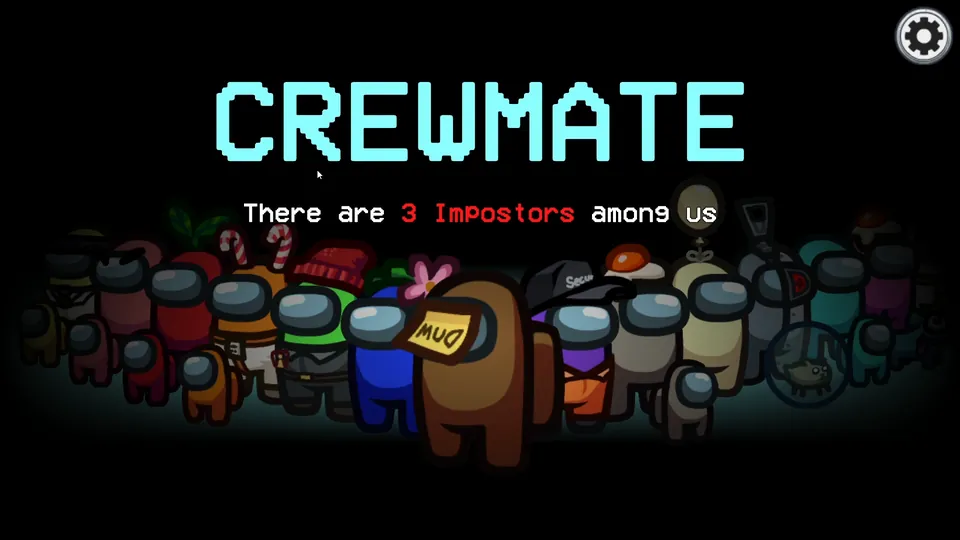
A Classic lobby holds 4 to 15 players on one of five maps, with 1 to 3 Impostors. Each round opens with a role reveal: everyone learns whether they are a Crewmate or an Impostor, and with roles switched on some players also learn a special role. Impostors see their partners in red but not their roles.

Crewmates move around the map finishing tasks while Impostors fake them, kill, use vents and call sabotages. Anyone can report a body or press the emergency button, and either one starts a meeting where players discuss for a set time and then vote. The player with the most votes is ejected; a tie or a skip ejects nobody.

The Crew wins when all tasks are done or all Impostors are out. The Impostors win when they are at least half of the living players, or when a critical sabotage reaches zero before it is fixed. A reported body also ends any critical sabotage in progress.

Players
4 to 15
Impostors
1 to 3
Crew wins
All tasks done, or no Impostor left
Impostors win
Half the living players, or a critical sabotage runs out

# Impostors

Impostors

What it does

The maximum number of Impostors in the round.
Choices
1, 2 or 3
Default
No default; set in the lobby

Kill cooldown

Impostors

What it does

Time an Impostor waits between kills.
Choices
10 s to 60 s
Default
45 s

Impostor vision

Impostors

What it does

How far an Impostor sees.
Choices
0.25x to 5x
Default
1.5x

Kill distance

Impostors

What it does

How close an Impostor must be to kill.
Choices
Short, medium or long
Default
Medium

Player speed

Crewmates

What it does

Walking speed for everyone.
Choices
0.5x to 3x
Default
1x

Crewmate vision

Crewmates

What it does

How far a Crewmate sees.
Choices
0.25x to 5x
Default
1x

# Emergency meetings

Meetings

What it does

How many emergency meetings each player may call.
Choices
0 to 9
Default
1

Emergency cooldown

Meetings

What it does

Wait after a meeting before another can be called.
Choices
0 s to 60 s
Default
15 s

Discussion time

Meetings

What it does

Time to talk before voting opens.
Choices
0 s to 120 s
Default
15 s

Voting time

Meetings

What it does

Time to vote before the meeting ends.
Choices
0 s to 300 s
Default
120 s

Anonymous votes

Meetings

What it does

When on, all vote icons are grey so nobody can see who voted for whom.
Choices
On or off
Default
Off

Confirm ejects

Meetings

What it does

Whether an ejection says if the player was an Impostor and how many remain.
Choices
On or off
Default
On

Task bar updates

Tasks

What it does

How often the shared task bar moves.
Choices
Always, after meetings or never
Default
Always

Common tasks

Tasks

What it does

Common tasks each player gets.
Choices
0 to 2
Default
1

Long tasks

Tasks

What it does

Long tasks each player gets.
Choices
0 to 3
Default
1

Short tasks

Tasks

What it does

Short tasks each player gets.
Choices
0 to 5
Default
2

Visual tasks

Tasks

What it does

Whether other players see the animation of visual tasks.
Choices
On or off
Default
On

03Hide n Seek: how a round plays

Hide n Seek came out on Dec 9, 2022. One player is the Seeker, drawn with a permanent open mouth, and everyone else is a Crewmate hiding on the map. The Seeker has a one-second kill cooldown and cannot vent or sabotage, and meetings, reporting and the emergency button are turned off.

Crewmates can vent a limited number of times for a few seconds to hide, and finishing a task takes time off the clock. Vision is limited as well: players usually see through a small flashlight cone, and a Danger Meter on screen shows how close the Seeker is.

When the timer runs out the Final Hide begins: tasks stop, the Seeker speeds up, gets the Seek map and, by default, a ping that shows every living Crewmate every six seconds. Crewmates win if any survive to the end, and the Seeker wins by killing them all.

Seekers
One
Crew wins
At least one Crewmate survives the clock and the Final Hide
Seeker wins
Every Crewmate is killed
Presets
Pitch Dark (no flashlights) and Flashlights

Seeker

Hide n Seek

What it does

Who plays the Seeker; public lobbies are locked to round-robin.
Choices
Round-robin or any player
Default
Round-robin

Hiding time

Hide n Seek

What it does

Length of the first phase, before the Final Hide.
Choices
160 s to 300 s
Default
200 s

Final Hide time

Hide n Seek

What it does

How long the last phase lasts.
Choices
30 s to 120 s
Default
50 s

Flashlight mode

Hide n Seek

What it does

Players see through a small cone of light instead of a wide circle.
Choices
On or off
Default
On

Player speed

Hide n Seek

What it does

Walking speed for everyone.
Choices
0.5x to 3x
Default
1x

Crewmate vision

Hide n Seek

What it does

Sight radius for Crewmates when flashlights are off.
Choices
0.25x to 1x
Default
0.6x

Impostor vision

Hide n Seek

What it does

Sight radius for the Seeker when flashlights are off.
Choices
0.25x to 1x
Default
0.4x

Crewmate flashlight size

Hide n Seek

What it does

Cone size for Crewmates when flashlights are on.
Choices
0.1x to 0.5x
Default
0.35x

Impostor flashlight size

Hide n Seek

What it does

Cone size for the Seeker when flashlights are on.
Choices
0.1x to 0.5x
Default
0.25x

Max vent uses

Hide n Seek

What it does

How many times a Crewmate can hide in a vent.
Choices
0 to 5
Default
1

Max time in a vent

Hide n Seek

What it does

How long each vent hide lasts.
Choices
1 s to 10 s
Default
3 s

Final Hide Seek map

Hide n Seek

What it does

Whether the Seeker gets the Seek map in the last phase.
Choices
On or off
Default
On

Final Hide pings

Hide n Seek

What it does

Whether the Seeker is pinged about where Crewmates are.
Choices
On or off
Default
On

Ping interval

Hide n Seek

What it does

Time between Final Hide pings.
Choices
3 s to 10 s
Default
6 s

Common, long and short tasks

Hide n Seek

What it does

Tasks that cut the timer when a Crewmate finishes them.
Choices
0 to 2, 0 to 3 and 0 to 5
Default
1, 1 and 2

04Event modes

Horse Mode turns every character, including ghosts, into a horse and changes the Impostor's kill animation. It ran on Apr 1, 2022 and from Mar 31 to Apr 2, 2023, and Innersloth brought it back for Oct 24 to 31, 2026, playable in both Classic and Hide n Seek. Outside those dates it is not in the game.

Nostalgia Mode was the April Fools update of Apr 1, 2026 (version 17.3.0): it swapped the character sprites and some animations to the early look. Like Horse Mode it changes only how the game looks.

Among Us © Innersloth LLC. Not affiliated with or endorsed by Innersloth. Pictures are official Innersloth artwork and screenshots.

Among Us Beginner Tips

Everything a new player needs for the first games: what to do as a Crewmate, how an Impostor stays hidden, what to say in meetings and which settings change the game most. The tips use the default settings; a host can change any of them.

  • 4

    sections

  • 2

    sides to learn

  • 19.0

    current version

01Crewmate tips 0 shown

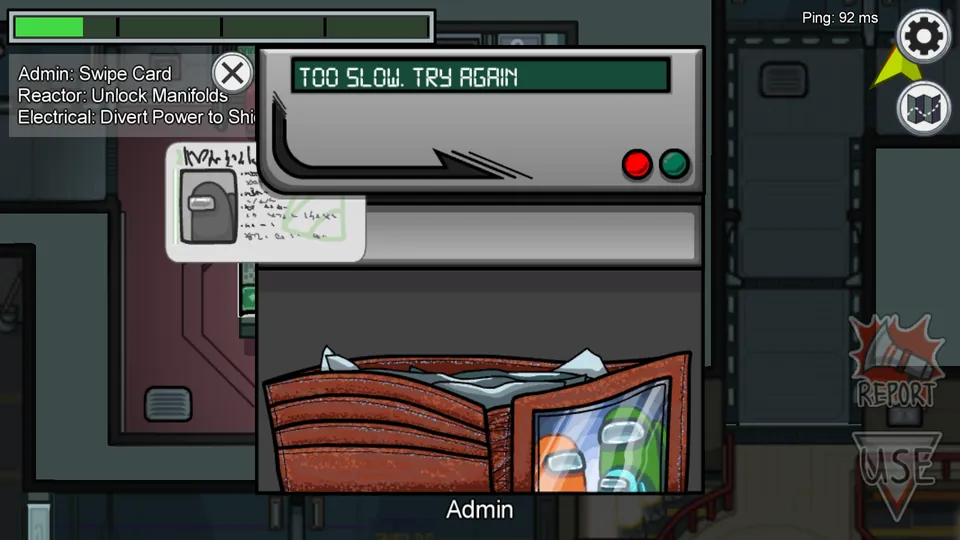
An official Innersloth screenshot of a Crewmate doing the Swipe Card task in the Admin room.
Doing a task in Admin. Screenshot: Innersloth.

Tasks are how the Crew wins, but staying alive long enough to finish them matters more than speed. Do your tasks in busy rooms, walk with another player when the map allows, and avoid long solo trips to far corners. An Impostor needs you alone: take that away and most kills disappear.

Learn what a visual task looks like. Where the host has visual tasks on, a few tasks play a visible animation, and watching someone do one is the closest thing to proof they are a Crewmate. Common tasks are given to everyone, so a player who claims a common task the others do not have is lying. Impostors see the common tasks on their fake list, so a correct claim alone proves nothing.

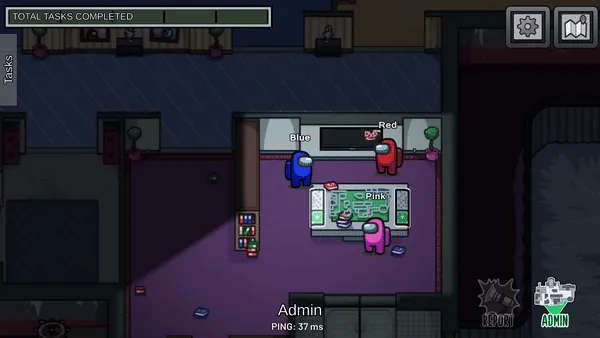
Use the map tools. Admin shows how many players are in each room, cameras and the Doorlog show who walks through, and Vitals shows who is dead. A Comms sabotage turns most of them off, which is often the Impostor's cue.

If you find a body, report it at once and say where it was and who you saw near it. During a sabotage, go to the nearest fix: critical sabotages need two players at two spots, and a reported body also cancels them.

02Impostor tips

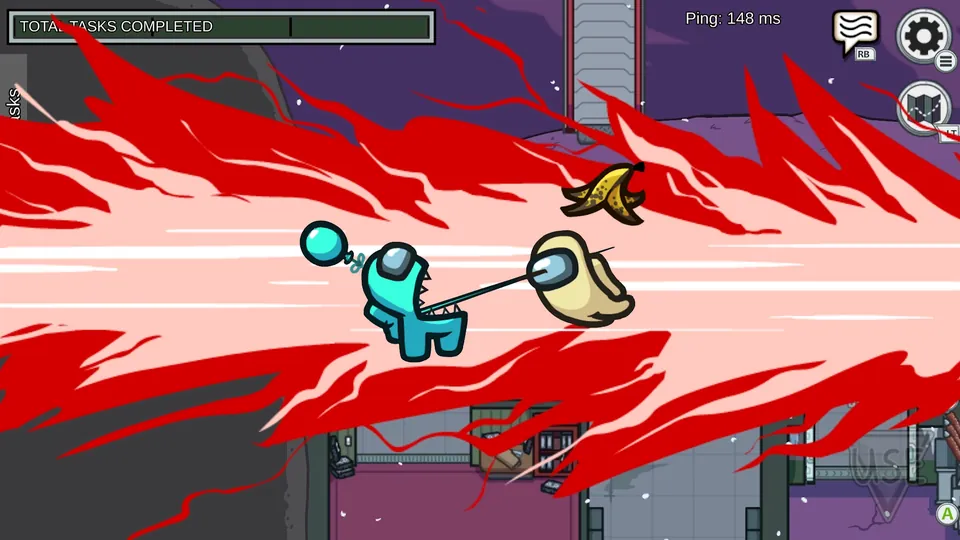
Official Innersloth art of an Impostor kill.
An Impostor kill. Art: Innersloth.

Your fake task list shows the common tasks everybody has, so pretend to do those and the short ones near you. Do not stand at a task for the full time if it would not take that long, and do not walk the whole map without ever doing one. The Crew watches the task bar: if it moves while you are next to someone, that someone is probably safe.

Kill when you are alone with a target, then leave in a direction that is not the way the body will be found. Your kill cooldown stops while you are in a vent, so venting out right after a kill is useful, but a vent opened in front of a player gives you away.

Sabotage is for shaping the map. Fix Lights cuts the Crew's vision and not yours, so kill under it. Critical sabotages force players into pairs at fixed places and pull groups away from a body. Comms Sabotaged shuts off cameras, Admin and the task list.

Talk about the facts: where you were, what you did. Do not defend your partner too hard or accuse in the same breath as them. When a special role is in the game, read its row on the Roles tab: a Shapeshifter can frame someone, a Phantom can pass a group, and a Viper can remove a body.

03Meetings and voting

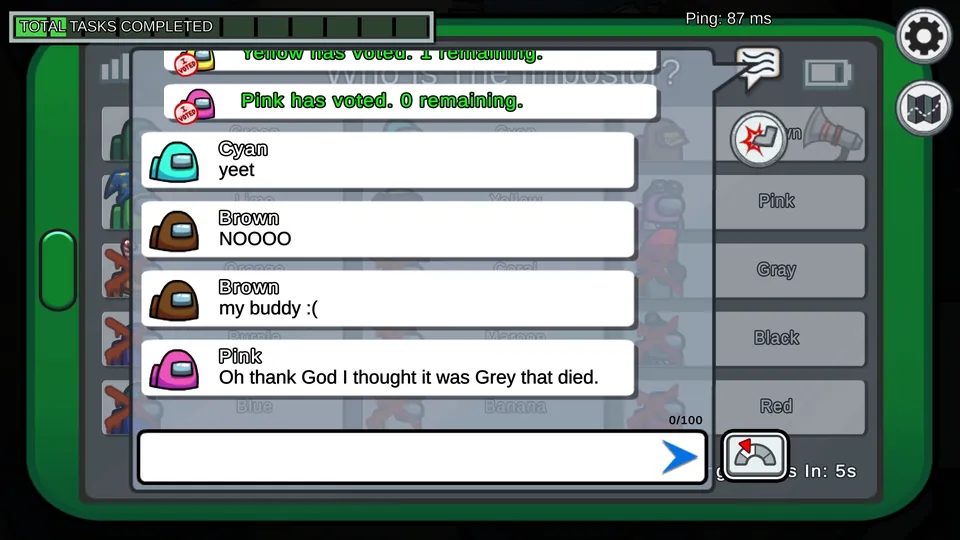
An official Innersloth screenshot of the meeting chat and the voting screen.
The meeting screen. Screenshot: Innersloth.

A meeting starts when somebody reports a body or presses the emergency button. Speak in short facts: where you were, who you saw, which task you did. Long theories help the Impostor more than the Crew because they bury the useful details.

Look for the things an Impostor cannot hide: a task bar that did not move, a visual task that was not done, a vent seen in use, someone who was near the body and did not report it, or someone who claims to be in two places. A Guardian Angel shield announces a failed kill in the meeting too, and the Detective, Tracker and Scientist roles add facts of their own.

Votes are decided by the most votes. A tie or a majority of skips ejects nobody. A wrong ejection helps the Impostors reach half of the living players, so skipping an unclear vote is better than guessing. Vote late, when the room has shown its hand, and not just because someone else has.

With Confirm Ejects on, the game tells everyone whether the ejected player was an Impostor and how many remain; with it off, you have to work it out. With Anonymous Votes on, you cannot see who voted for whom.

04Settings to know

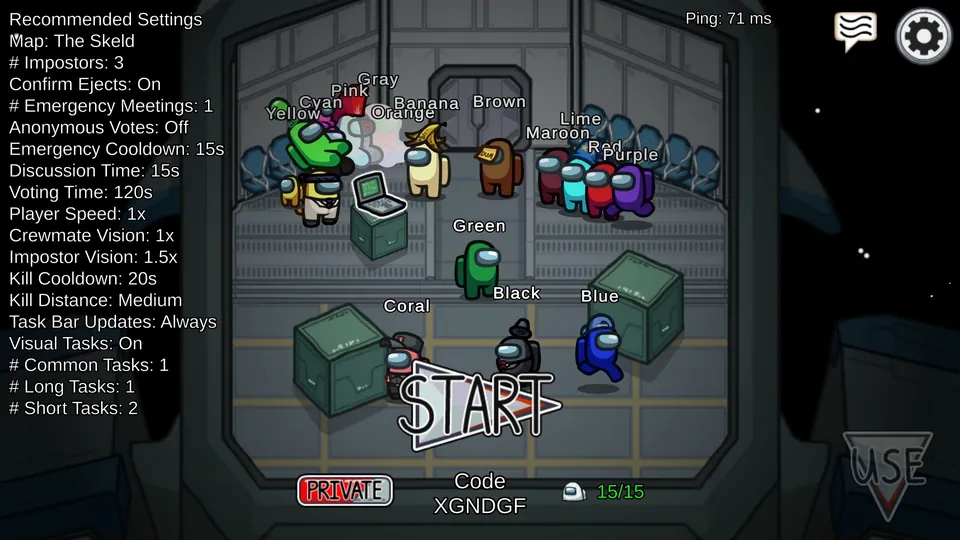
An official Innersloth screenshot of an Among Us lobby with the game settings on the left.
The lobby settings. Screenshot: Innersloth.

The host sets the rules on the laptop in the lobby. Start with one of the presets: Core Settings for a plain Crewmate and Impostor game, or Roles Galore for a game with every special role. Then change a few things, not everything at once.

The most important knobs are the kill cooldown (45 seconds by default, 10 to 60), kill distance (medium), player speed (1x) and the two vision settings (Crewmates 1x, Impostors 1.5x). Lower the cooldown or raise the vision for the Impostors and the game tilts their way.

For meetings, each player gets one emergency meeting by default, with a 15 second cooldown, 15 seconds of discussion and 120 seconds of voting. Tasks default to one common, one long and two short each. The task bar can update always, after meetings or never, and never makes the bar useless as a clue.

Special roles each have a probability and a maximum count. Turn on two or three at a time and keep their settings at the defaults for your first games, then change one value after you have seen how it plays.

Presets
Core Settings, Roles Galore
Kill cooldown
45 s default
Meetings
1 per player, 15 s discuss, 120 s vote
Tasks
1 common, 1 long, 2 short

Nothing matches.

Among Us © Innersloth LLC. Not affiliated with or endorsed by Innersloth. Pictures are official Innersloth artwork and screenshots.